ALLADO
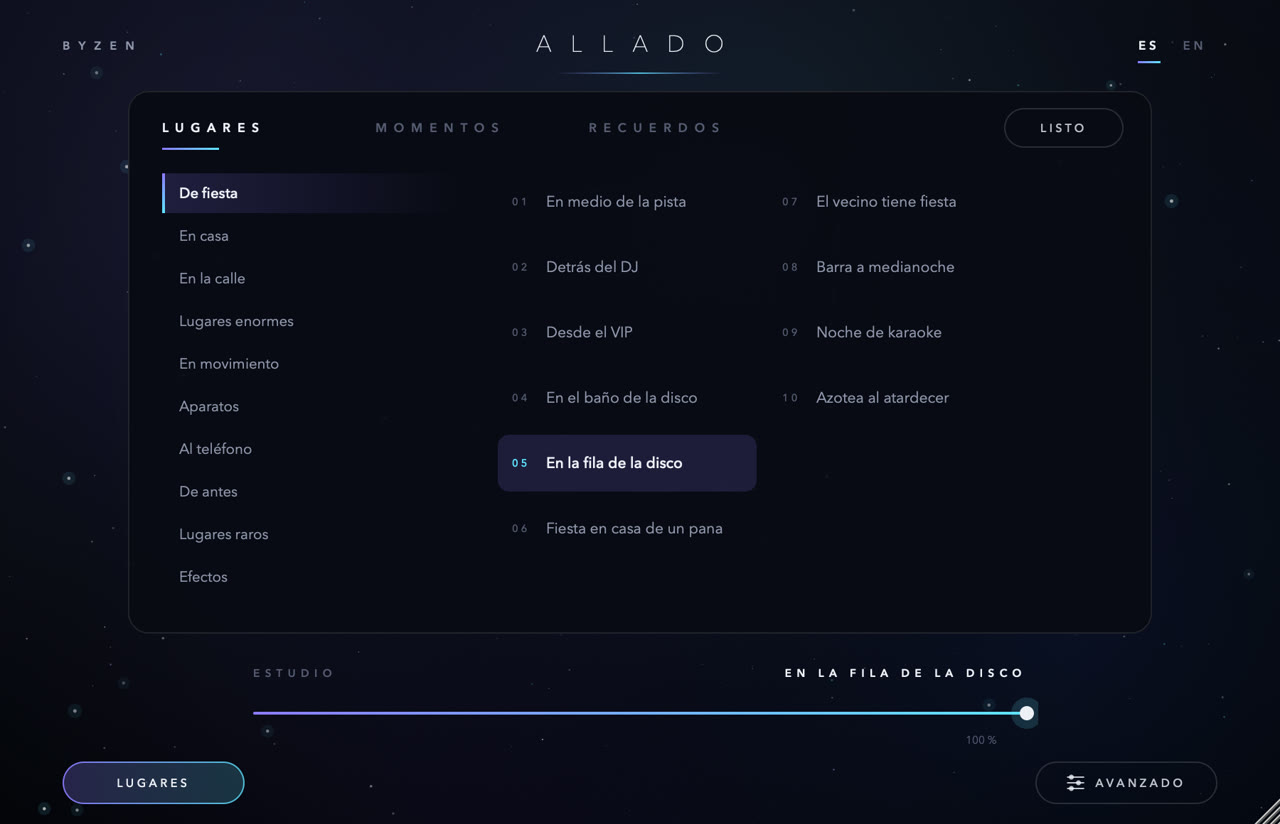
Pon tu canción en 100 lugares, del carro a una llamada.Put your song in 100 places, from a car to a phone call.
Cómo funcionaHow it works
Pruébalo un día, después decideTry it for a day, then decide
Gratis por 24 horasFree for 24 hours
- Descarga e instala ALLADO.Download and install ALLADO.
- Ábrelo en tu DAW.Open it in your DAW.
- Toca «Probar 24 horas gratis». Sin tarjeta ni correo.Tap “Try 24 hours free”. No card, no email.
La primera vez, tu Mac pide abrirlo desde Privacidad y seguridad.The first time, your Mac asks you to open it from Privacy & Security. Ver cómoSee how
14USD
- Pago único. Mac y Windows, VST3 y AU.One-time. Mac and Windows, VST3 and AU.
- 2 computadoras y las actualizaciones de la versión 1.2 computers and every version 1 update.
- Devolución hasta 2 días después de comprar.Refund up to 2 days after purchase.
PreguntasQuestions
¿En qué programas funciona?Which programs does it work in?
FL Studio, Ableton Live, Logic Pro, Cubase, Studio One, Reaper y cualquier DAW con VST3 o AU. Pro Tools todavía no.FL Studio, Ableton Live, Logic Pro, Cubase, Studio One, Reaper and any DAW with VST3 or AU. Not Pro Tools yet.
¿Lo pongo en la voz o en el master?Vocal or master?
En los dos. En la voz solo la voz se va al lugar; en el master se va la canción entera.Both. On the vocal only the voice moves; on the master the whole song does.
¿Qué pasa cuando termina la prueba?What happens when the trial ends?
El plugin deja pasar la canción sin cambios y te muestra el botón para comprar. Pegas tu clave y sigue donde estaba; tus proyectos no se rompen.The plugin lets your song through unchanged and shows you the button to buy. Paste your key and it picks up where it was; your projects don't break.
¿Necesito internet?Do I need internet?
Solo para activarlo. Después funciona hasta 45 días sin conexión y se renueva solo.Only to activate it. Then it works up to 45 days offline and renews by itself.
¿Lo paso a otra computadora?Can I move it to another computer?
Sí: en Avanzado toca «Desactivar este equipo» y actívalo en la otra.Yes: in Advanced tap “Deactivate this computer” and activate it on the other one.
Mi Mac no lo deja abrirMy Mac won't open it
Es normal la primera vez. Mira los pasos.That's normal the first time. See the steps.